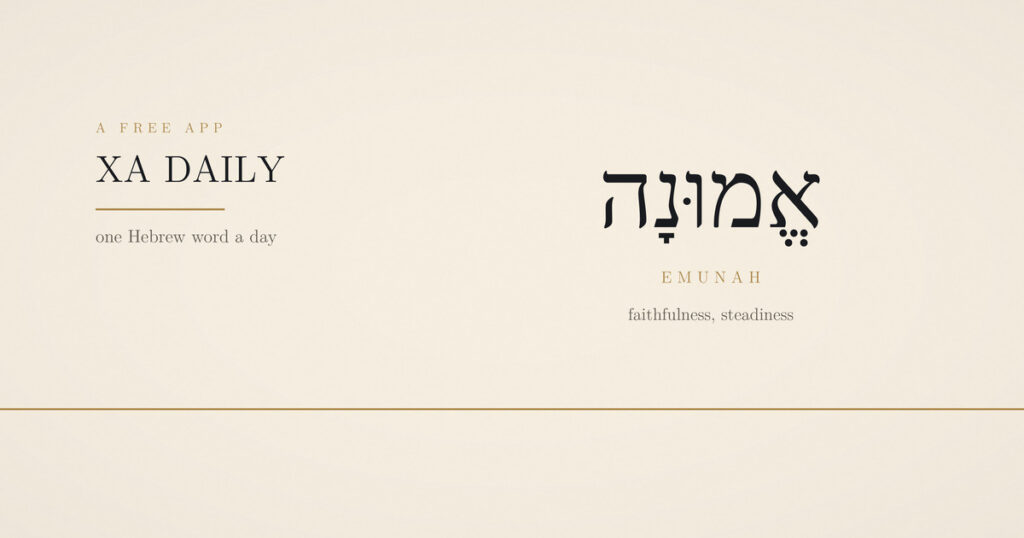
We built something and put it online for nothing. It is called XA Daily, it lives at xtraamerican.com/daily, and it asks about four minutes of you in the morning and rather less at night. The whole King James Bible is in it.
There are a great many Bible apps. Most want an account, a subscription, or a slice of your attention they can sell on. This one wants none of those. Nothing to sign up for, nothing to download from an app store, and nothing you write ever reaches our servers.
One Hebrew word a day
The thing we could not find anywhere else was a Hebrew word treated seriously and briefly. Not a devotional with a Hebrew word laid on top, and not a lexicon entry either — the word, how to actually say it, what it means, and the part of it that is genuinely interesting.
Day one is emunah: steadiness under load, and the root behind the word amen. Day two is chesed, which the King James usually gives as mercy or lovingkindness. There is one each morning, with the verse it sits in.
Now with Doré’s engravings inside the text
This is the newest thing in the app and the one we are most pleased with.
In 1866, at thirty-four, Gustave Doré cut a complete Bible in wood engraving. They are the illustrations most people picture when they picture a Bible illustration at all — the flood, the burning bush, the valley of dry bones. He died in 1883, so every one of them is public domain.
Turn on illustration mode and the plates go back where they belong: 167 engravings sitting inside 143 chapters, each one under the verse it depicts. Read Genesis 4 and Cain and Abel are there at verse 3. The first verse of every chapter gets an illuminated capital while the mode is on.
It is a setting, not a decision we made for you. Settings → Reading turns it off, and the reader goes back to plain text. Most chapters have no plate, which is deliberate — it should feel like something you found rather than wallpaper.
Every plate also has its own page, with the passage beside it and the full-resolution file free to download. They are all at xtraamerican.com/dore.
The whole Bible, in three translations
All sixty-six books, searchable, with no chapter locked off. Alongside the King James there is the Berean Standard Bible and the Reina-Valera 1909 in Spanish — both public domain, both switchable from the top of any chapter.
Any chapter can also be read aloud, in English or Spanish, using the voice already on your phone. Useful while driving, and useful if reading is hard work.
A verse a day, and a way to pass it on
One verse, the same for everyone, turning over at midnight. Tap the arrow and it goes out as a picture with the words set on it, so it reaches people who never tap a link.
It has a home of its own at xtraamerican.com/verse if you would rather not open the app.
Somewhere to write, and a prayer list that remembers
Room to write underneath each day, and a prayer list that keeps what you asked for and when — so you can look back and see what was answered. Saved verses collect in one place with your notes attached.
None of it leaves your phone. No account, no sync, no server. You can export the lot to a file whenever you want, and if you clear the app it is gone, which is the honest trade for keeping it private.
Twelve reading plans
Short ones. A week in the Psalms, the life of Christ, the whole thing at a steady pace. Tap a chapter to open it in the reader; the plan remembers where you stopped.
Made to be kind about it
Dark by default, with type you can size up until it is comfortable. The counter counts days you showed up, not tasks you completed, and nothing scolds you for missing yesterday. There is no streak to lose, because a Bible app that makes you feel guilty has misunderstood its job.
If you want a nudge, it can send one in the morning and one at night, carrying the verse itself rather than a bare reminder. If you do not, it never asks again.
Putting it on your home screen
On iPhone, open it in Safari, tap Share, then Add to Home Screen. On Android, open it in Chrome, tap the three dots, then Install app. Either way it gets its own icon, opens full screen, and works with no signal once loaded.